Get in Touch
Find phone numbers and addresses
Have questions about InfoX? Need support? Want to discuss how we can help your business? We're here to help.
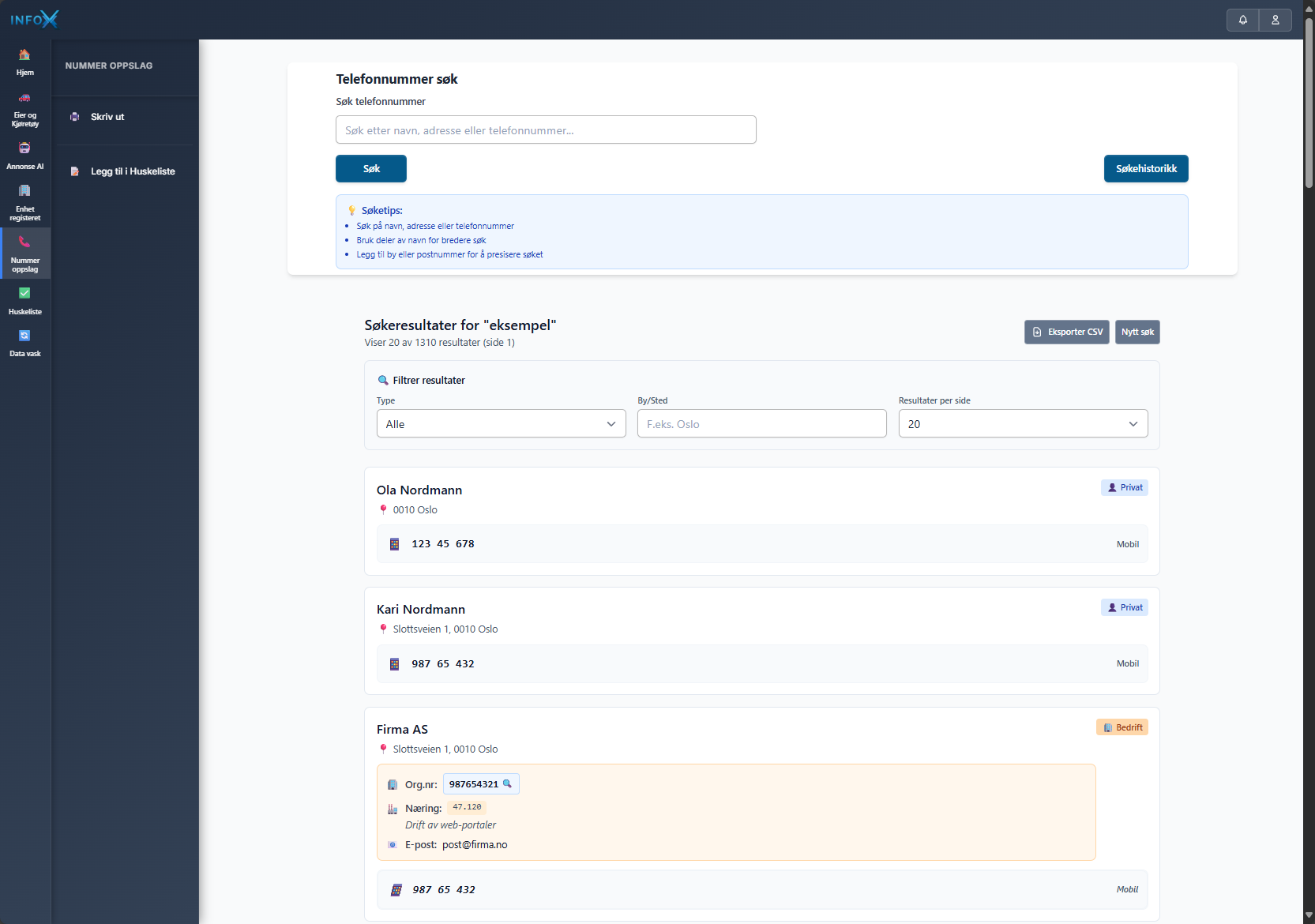
How Directory Lookup Works
Search by Name or Location
Search by name, address, or city across consumer and business listings. Enter your search criteria to find contacts.
Filter by Sector
Filter results by sector to show only private persons or businesses. For businesses, see NACE industry codes and organization numbers.
View Complete Contact Cards
Access complete contact cards with phone numbers, addresses, and geographic coordinates. Choose 10, 20, or 50 results per page.
Export to CSV
Export search results to CSV for bulk outreach. Import directly into your CRM or use for contact list building.
Features That Define Excellence
Sector Filtering
Filter results by sector to show private persons or businesses. Search across consumer and business listings.
Geographic Coordinates
Contact cards include mobile numbers, landlines, addresses, and geographic coordinates for precise location data.
NACE Industry Codes
Business contacts include NACE industry codes and organization numbers for precise business identification.
CSV Bulk Export
Export search results to CSV for bulk processing and outreach. Pagination controls let you choose 10, 20, or 50 results per page.
Who Uses Directory Lookup
Individuals
Find contact information for family, friends, or acquaintances.
Businesses
Verify contact information for customers and suppliers.
Public Sector
Lookup tools for case management and verification.
Frequently Asked Questions
What contact information is available?
Contact cards include phone numbers (mobile and landlines), complete addresses, postal codes, city and regional location, and geographic coordinates. For businesses, you also get NACE industry codes and organization numbers.
How does sector filtering work?
You can filter results by sector to show either private persons or businesses. This helps you target the right type of contacts for your needs.
How do I export contacts to CSV?
Search results can be exported to CSV format for bulk processing. You can choose to display 10, 20, or 50 results per page before exporting.
What are NACE industry codes?
NACE codes are industry classification codes that help identify business sectors. For business contacts, these codes along with organization numbers help you target specific industries.
Pricing for Directory Lookup
All InfoX services require a platform license (499,- NOK/mnd). The prices below are only for actual usage.
Service Costs
Pay only for usage
No fixed quotas
Entire team included
Unlimited users
Scales with you
Grow without limitations
Search Our Database
Find contact information for people and businesses in Norway.